Mobile Real Estate Apps Are Here to Stay
By Jason O’Neil
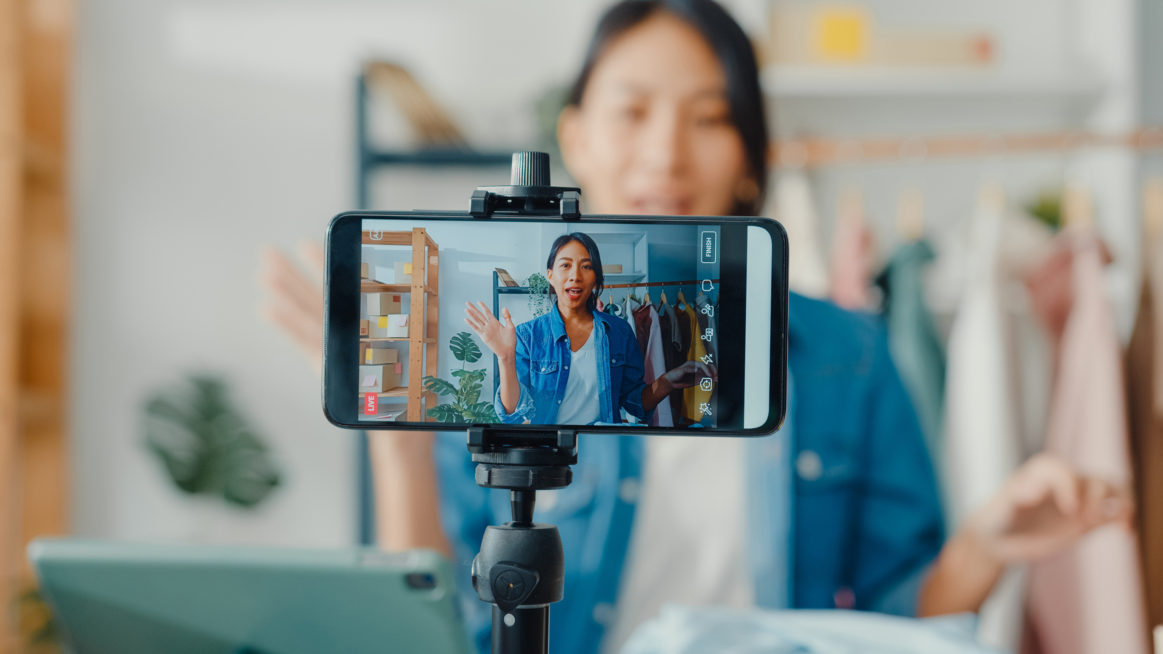
I do not believe that mobile is the future of online real estate search. Why you ask? Because mobile is online real estate search and consumers have already been conditioned to get the information they want from their smartphone. With the popularity of real estate apps and searches, it’s difficult to make an argument that the mobile real estate revolution hasn’t already arrived.
According to the Google/NAR Digital House Hunt Study, “36 percent of home buyers use a mobile device while watching TV.” We know that home buyers use different technology during every different phase of their home search, but as practitioners, are we reactive or proactive in how we respond, adapt, and offer technology to our clients?
In an effort to be proactive, I have spent this past year informally polling all of my buyer clients on their search habits. What I’ve discovered is that some like Trulia, some like Zillow, some like to perform a basic Google address search but a lot are using the realtor.com® app. While there are no major differences with any of these apps, my polling revealed that mobile real estate search preferences vary according to personal style and familiarity with the application or program.
Personally, I have been evaluating the realtor.com® mobile app for iPhone. So far, I think it has fairly good features not only for the agent but also for the consumer. And my clients are loving it! The real difference between this app and many others is that with the realtor.com® app, I can add my clients using my login information—much like a friend request on Facebook—and once my client accepts, we are connected. Because of this feature, there’s a collaborative aspect to this app; I can send my clients homes they may be interested in and more importantly, they can send me homes they want to see or get more information about.
For example: Last weekend, one of my clients was driving around looking at neighborhoods, saw a home, opened the realtor.com® app, and used it to get details about the home. Instantly, the details were sent to my phone, which alerted me of my client’s desire to see the property. This is a perfect example of the collaboration between home buyers and their agents that our industry has been talking about for years.
If you haven’t done so already, I encourage you to download the app and ask a few clients to do the same. They will be happy you are involving them in the home buying process and you’ll be able to check out some pretty neat technology. Mobile is not the future, mobile is now. So what are you waiting for?
By David Krichmar
Is your customer service best for you or your clients? Think about that question for a moment. Obviously, great customer service is not what is easiest for you. In most situations, it is about going above and beyond. Maybe even inconveniencing you.
I recently read a great article by Rebekah Radice, “The Simple Truth Behind Customer Service,” and the comments that people left got me thinking: Your customer service should be what the client expects, not what is easiest for you. So here are my random thoughts on providing great customer service:
- Everyone wants attention now!! We all do. When we have a question, we want an answer. So when possible, answer NOW!!! Whether it be by phone, email, text, or smoke signals.
- “I return all phone calls after 5 p.m.” HUH???? Cell phones: They are amazing because you can actually leave the office/land-line and still have a conversation.
- “I return emails by the end of the business day.” What does that mean? To me it says emails are not important. By now you should have a phone that has email coming to you so you can return them immediately. Continue reading »
Show Me Your Barcode!

Jonathan Osman
By Jonathan Osman
When you think of a barcode, you are no doubt thinking of the UPC labels that exist on the back of EVERYTHING. The lines on a barcode correspond with a database that delivers information on the item scanned. The technology is so tried and true that it can now be adapted for an untold number of uses including real estate.
To start, you’ll need to create your own barcode. Somewhere George Orwell is spinning in his grave at the notion that we can create and distribute personal data with a simple barcode… but we can. I used a website called Scanlife.com to create my barcode for free. Now, whenever someone scans my personalized bar code, they can import my contact information into their smartphone with just one click.
This barcode can be printed on anything and displayed everywhere including as profile pic on Facebook, on your business cards, e-mail signature; the list goes on and on.
Think of how easy it would be to gather contacts at the next convention you attended if you could simply scan and import the persons contact info via a barcode? You wouldn’t need to bring business cards or other promotional paraphernalia. Simply display your barcode on your phone and let the person you meet scan it with theirs. Instantly, you are connected, a tree is spared, and you won’t be spending time later entering cards into your database. Continue reading »
Adventures in Android Land

Stefanie Hahn
By Stefanie Hahn
I just upgraded. After pouring over the research… visiting the phones (four times, but who’s counting?), working to get the best deal, and waiting until the price dropped to where I wanted; I did it! Friends and co-workers cheered that I finally moved out of research-mode and into go-mode.
I love my new HTC Hero and all of the Google-fantastic-ness that comes with it. The transition from my Palm OS phone to Google was fairly simple. My Gmail, contacts, and calendar were a no-brainer. After a few days, I had my bookmarks stored, a few essential apps loaded, my music, photos, and social media all set and I was off!
I knew I would love this phone, but a few things pleasantly surprised me:
- Screens – HTC is big on personalization. The Hero has a screen for each part of your life — work, weekend, travel, music, etc. and with the ability to add a different “scene” to each screen. Not a necessity, but I think it’s organizational with a fun twist.
- Facebook integration – I love that my Facebook friend’s information will connect automatically with my Google contacts. Bliss! Plus I get their profile photo, status updates, and whatever contact info they have on Facebook. This rocks for friends that change their e-mail and numbers often. Continue reading »


Recent Comments